


In this post, we are going to share how to create multiple YouTube Channels under on Email address. This means that to create multiple channels, you need a starter Google account created using your email address. OK, let's see how it works.


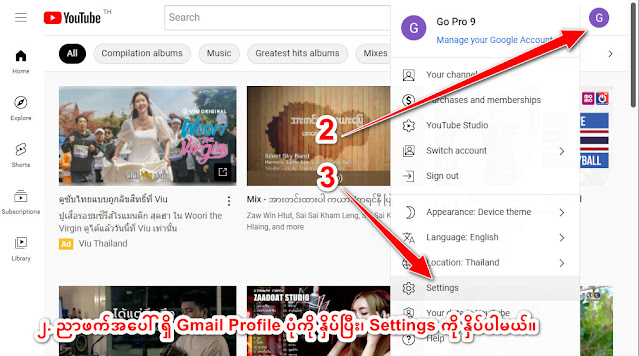
2. Open the operations menu by clicking on your Gmail profile picture.

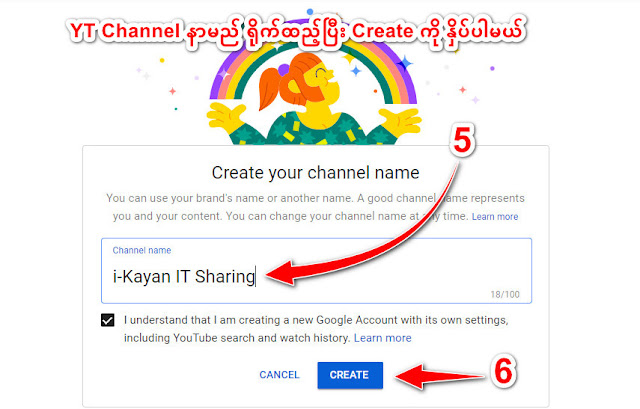
5. Enter a name for your new channel. If you’re a business, you should generally use your company’s name. That way, your viewers will instantly recognize your brand.
Once you’ve taken the above steps, YouTube will instantly create a new channel and direct you to your channel dashboard. You can now proceed to create more channels– all under your brand account.

You can also customize a newly created channel by adding things like a detailed description, contact email, and location.

1. Open YouTube website in a browser and Sign In to YouTube.

3. Then click on Settings.

4. Click on Add or Manage your channel(s). (or) If there is no channel yet, Click on Create a new channel.


6. Click on Create button to complete the process.

You can also customize a newly created channel by adding things like a detailed description, contact email, and location.
Done! Thank you!


